Published: 01 Dec 2023 · Last updated: 27 Jun 2024
The purpose of this note is to provide an easy way to reload the raw images acquired with the C-RED 2, CRED 2 ER, C-RED 2 Lite or C-RED 3 . The process to save raw images is described in the camera demo software user manual.
Loading Raw Image Cube Using ImageJ
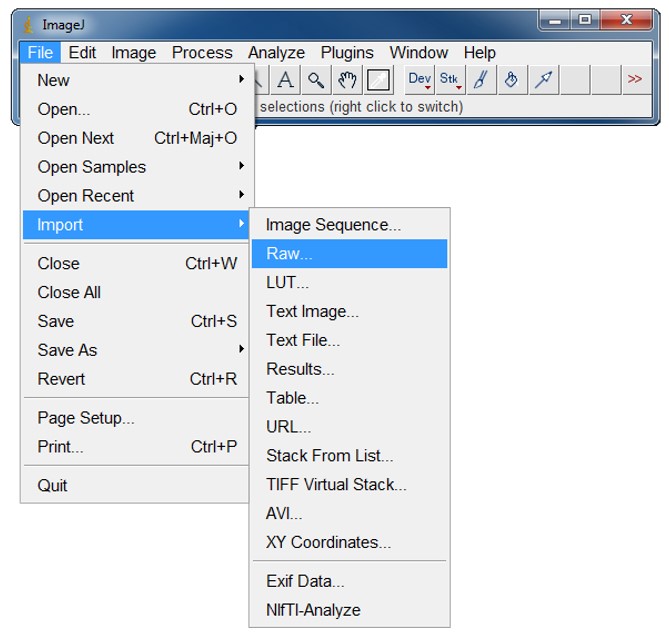
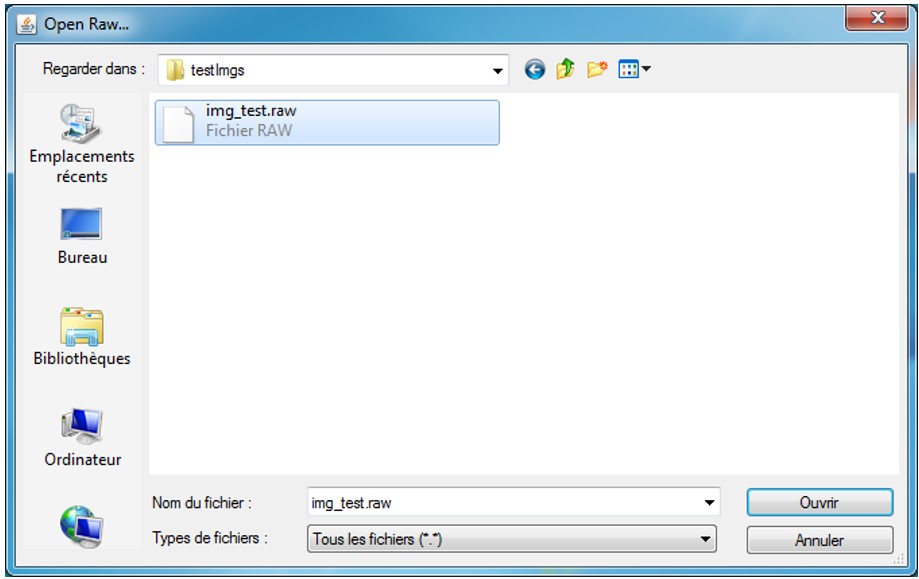
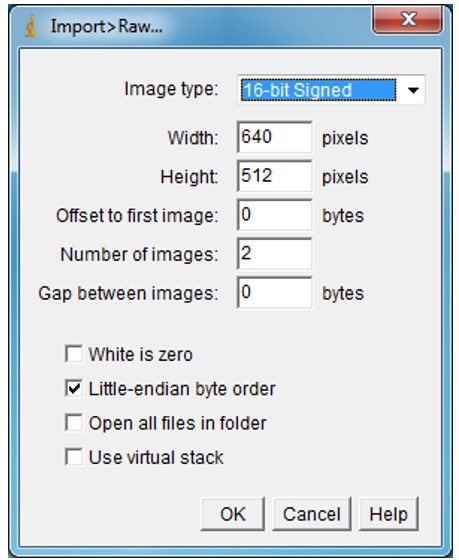
Start ImageJ, then follow the steps below:
Please Note: In the case of data acquired in cropping mode, please enter the width and height consequently to the window size used for the acquisition of the loading data.
Loading Raw Image Cube Using MATLAB
Copy the code below in a .m file called read_cube_selectcred2.m
function B=read_cube_selectcred2 (full_image_name,width,height,nbImages)
size=nbImages*width*height;
fileID=fopen(full_image_name);
B=fread(fileID,size,'int16');
B=reshape(B.width,height,[]);
B = premute(B,[2 1 3]);
end
Then, from your MATLAB code, you will be able to call the function and get the image cube in B variable.